
For fans & creators
Untangle franchises, prequels and spin-offs
One track per franchise, every release dated, and the in-universe order spelled out for readers.
6 min read
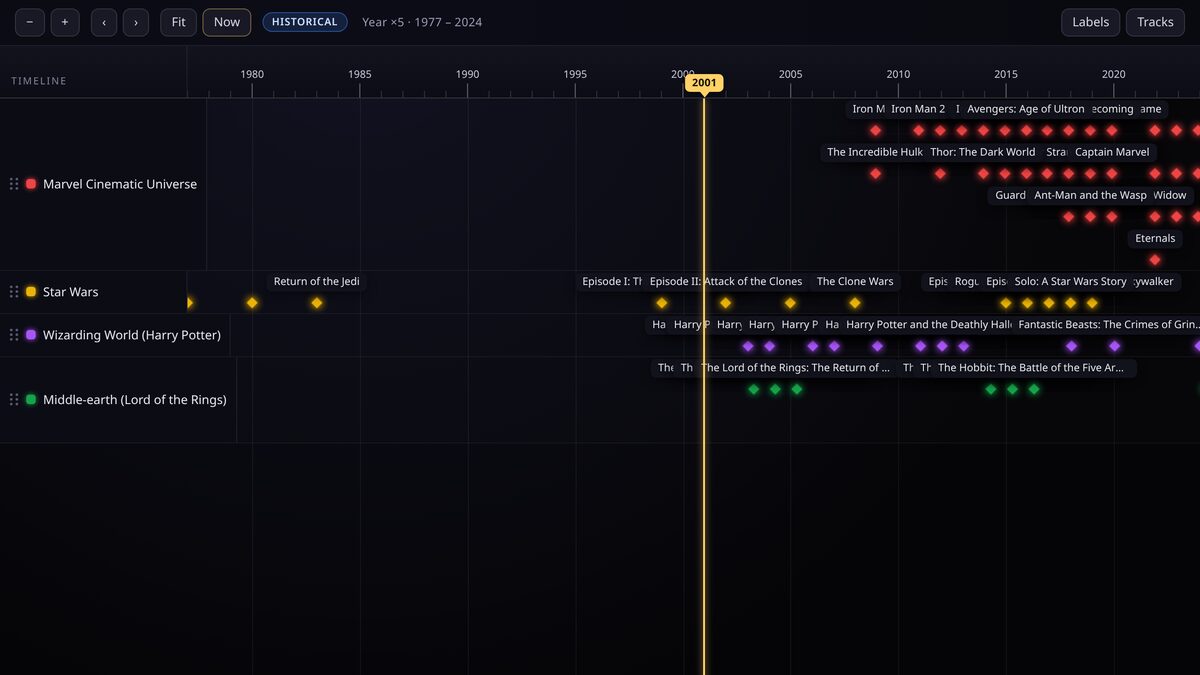
Franchise guides live or die on one thing: telling the difference between the order things were released and the order things happen in the story. A timeline can show both without a wall of bullet points.
Release order is the spine
Start with one track per franchise or series, then add a point event for every film, series or game on its real-world release date. Colour each track to match the property. This is the objective, spoiler-free skeleton.
Add in-universe context as ranges
Prequels and flashback arcs confuse readers precisely because their release date and their story date disagree. Keep the release date as the event date, then use the summary and a range to state when it sits in the fiction.
- Release date drives the position on the axis.
- The summary opens with the in-universe era, for example "Set 30 years before the original trilogy".
- Use a range when a story spans years in-world, even if it was released on a single day.
If you need to sort strictly by in-universe chronology, create a second timeline dedicated to story order and cross-link the two. The release-order timeline stays your canonical, spoiler-safe view.
Group eras with tracks and colours
Phases, trilogies and expanded-universe eras make excellent tracks or, if you prefer fewer lanes, tags and colour codes. Either way a reader can zoom out and see the shape of the whole franchise at once.
Publish a spoiler-safe companion
Mark the release-order timeline public so it is easy to share and embed on a wiki or fan site. Keep any story-order or theory-heavy version unlisted and share the link only where you want it.
Keep reading
For study & faith
Trace a life against its world
Use circa dates, ranges and parallel tracks to place one life beside the history happening around it.
Start here
How TimeStrands works
The one-page tour: what tracks, events and sources are, how deep time is stored, and the path from a blank canvas to an embed.