
For cloud & security teams
Reconstruct an incident from a log stream
Drop CloudTrail records onto a timeline and zoom from the whole morning down to a millisecond-level burst of activity.
8 min read
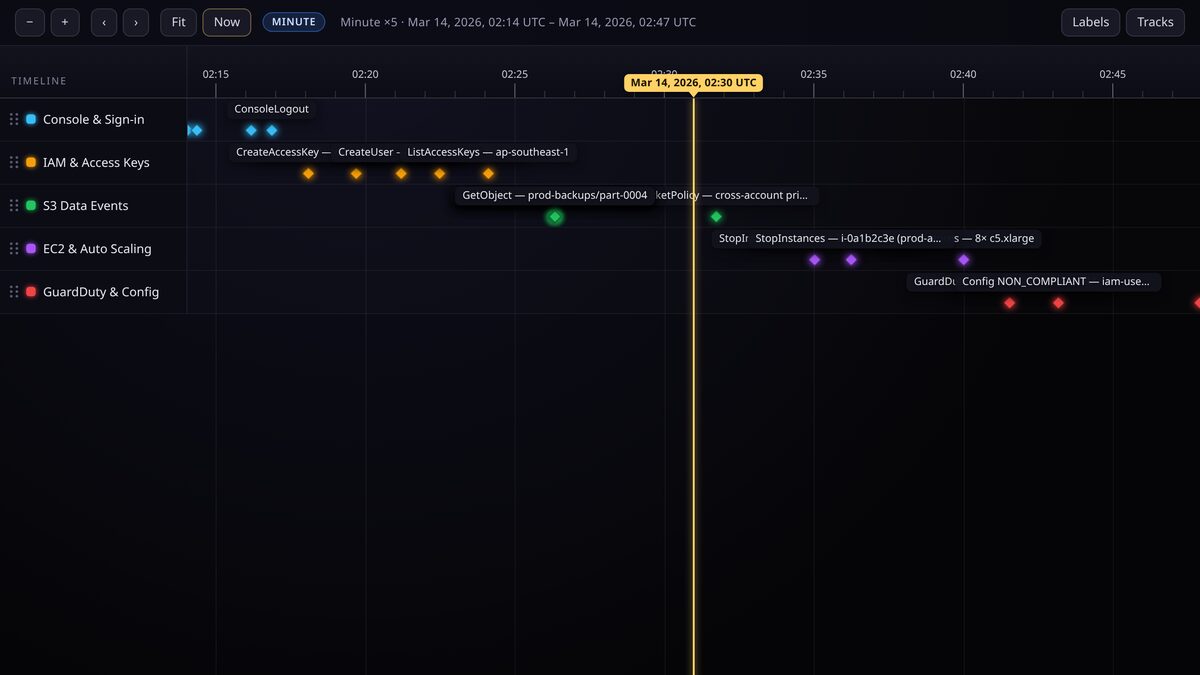
A log table shows you rows. A timeline shows you sequence. For an incident review, the shape of the activity, what happened together and what happened first, is often the whole story.
Why a timeline beats a log table
- The same axis holds the whole morning and a millisecond burst, so you can zoom instead of paginate.
- Overlapping activity across services becomes visible as parallel tracks.
- Annotations and source links let you attach the runbook or ticket to the exact moment it relates to.
Set timestamps at clock precision
Log events use the clock precisions: hour, minute, second and millisecond. Time is always stored in UTC so records from different regions line up. Even a millisecond-precision event still records its day, so it appears in the right place when you are zoomed out.
Keep the original log file untouched as your evidence. The timeline is a human-readable reconstruction, not the system of record.
Import the evidence
- Export the window you care about as JSON or CSV from your logging tool.
- Map each record to an event: the actor or service becomes the track, the timestamp becomes the event date.
- Load it through the import flow, the research assistant, or an MCP agent, whichever fits your pipeline.
- Add a source link back to the original query or file so the reconstruction is auditable.
Zoom the ladder
The viewer switches coordinate systems as you zoom. Pull back and you are on the historical year axis watching the whole morning; keep zooming and it hands off to month, week, day, then hour, minute, second and finally millisecond. You never have to change views to change scale.
Keep it private
Incident data is sensitive. Keep the timeline unlisted so it is link-only, or protected behind a PIN, and share it only with the responders who need it. Never publish a security timeline as public.
Keep reading
Start here
How TimeStrands works
The one-page tour: what tracks, events and sources are, how deep time is stored, and the path from a blank canvas to an embed.
For developer relations
Publish a release support roadmap
Bug-fix windows, security-only tails, end-of-life dates and deprecations for every version line, in one embeddable chart.